
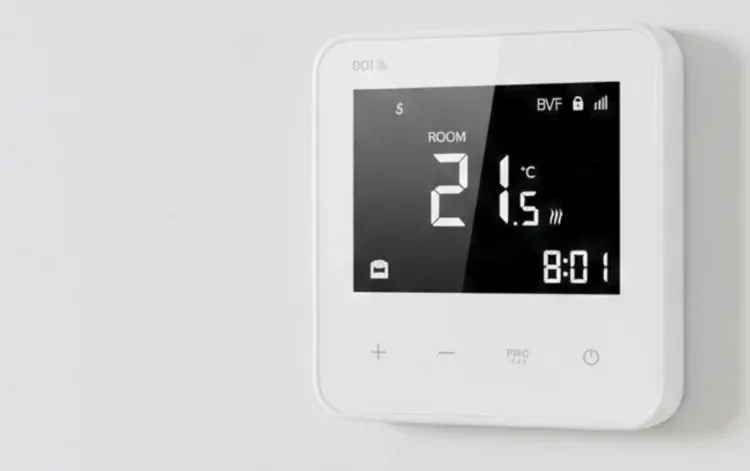
BVF floor-heating thermostat
A BVF 801 WiFi thermostat on the bathroom wall controls the floor heating. It is normally set to around 20 °C for guests.
How to use
1. Check the thermostat display in the bathroom.
2. If switched off, use the power ⏻ button.
3. Use + and − to adjust the target temperature a little at a time.
4. Underfloor heating responds gradually.
5. Do not alter scheduling, sensors or Wi-Fi. Contact the host if controls are locked.
Gallery